


For those who installed Windows 8 when it was first released to manufacturing, you’ve probably been getting a little inpatient wondering when Windows Media Center would finally be made available to you. We’re pleased to announce that the wait is over! We’re also pleased to confirm that as we had previously reported, Windows Media Center in Windows 8 is available for free. The free promotion is limited though, and you’ll need to take a couple of extra steps to take advantage of it, but it’s not much work.
There is one important note to remember though. Windows 8 Media Center can only be added to Windows 8 Pro installations. If you’re running the base version of Window 8 you’ll also need to upgrade to Windows 8 Pro, which is not free. You will be able to follow the instructions below to install Windows 8 Pro with Media Center all at once, but it will cost $69.99. This price is also promotional, so after January 31, 2013 the price will most likely increase for the Windows 8 Pro Pack.
If you already have Windows 8 Pro installed, then head over to the Windows 8 Feature Packs site. There you’ll be able to enter your email address and have a product key for Windows Media Center emailed to you. You’ll need that key later in the process. Note that for many people outside of the United States this page isn’t working yet. It will sure be available soon though.

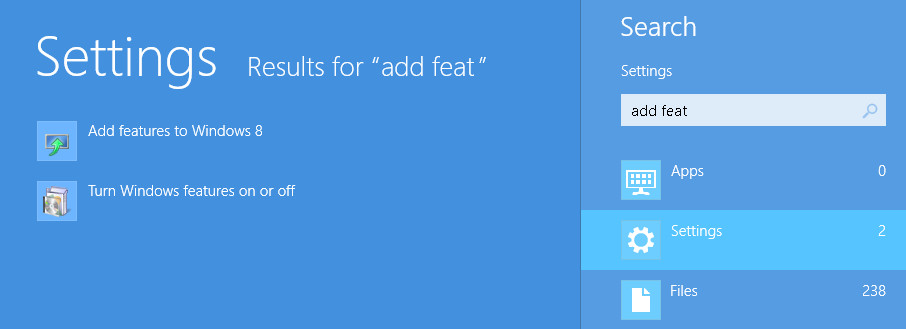
From your Windows 8 Start screen simply start typing “Add Features”. It will bring up the search screen. Alternatively you could enter search from the Charms bar. No apps will be found from the search, but it will find two settings. So click on the “Settings” button below the search box. Then on the left you’ll see an option titled “Add features to Windows 8”. Click on that, and it will launch a desktop app.
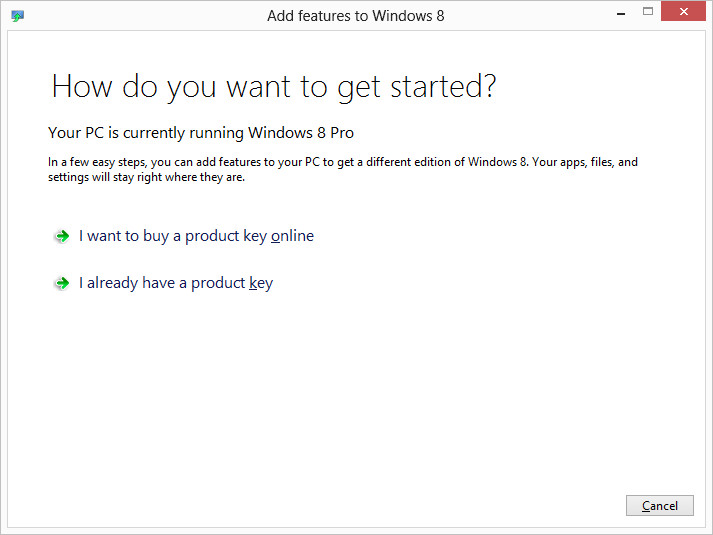
If you already have Windows 8 Pro and had a product key emailed to you for Media Center, select the “I already have a product key” option on the screen below. If you need to purchase the Windows 8 Pro Pack, then select the option labeled “I want to buy a product key online”.
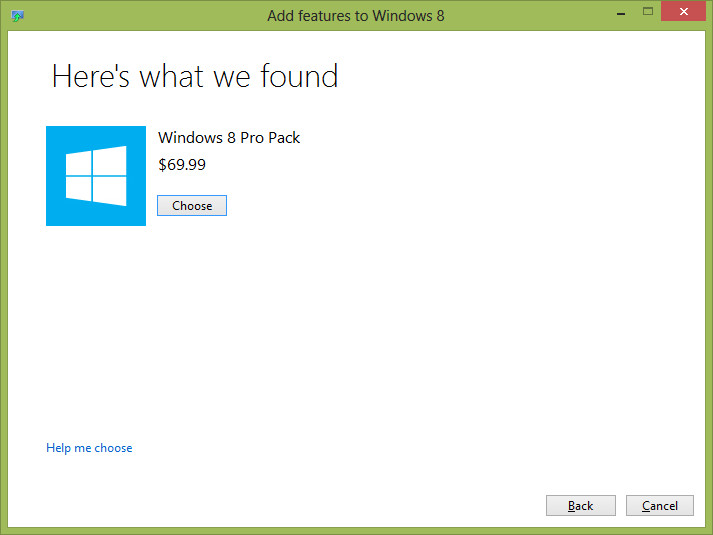
If you already have Windows 8 Pro installed, and you click the option to purchase a key you’ll see that it would cost $9.99 to add Media Center had you not already requested your free key.

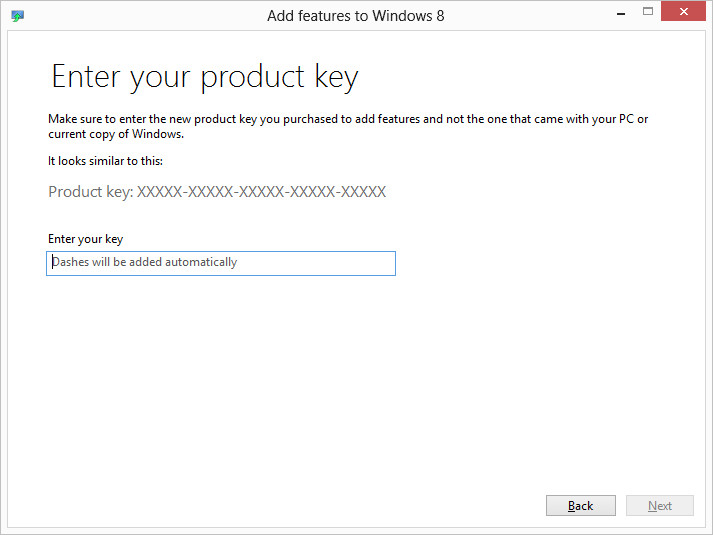
If you had Windows 8 Pro already, and have received your key, then you should click the “I already have a product key” option. After that you’ll see the following screen. Here you just need to enter the product key you’ve received via email. Then just follow the wizard. You’ll need to reboot your machine, but once you’ve done that you’ll have Windows 8 Pro with Media Center!
Enjoy watching and recording television on your PC!


Thanks for the heads up!
I’m confused about the price of windows 8 pro, and the suprise that media center is free. In july the windows 8 upgrade blog reported that windows 8 pro would be available as an upgrade for $39.99. Since this is a microsoftcentric website, i assume we are discussing upgrade prices. Where does the $69.99 price come from? That same blog post reported that media center would be free as an add-on. Is windows 8 pro pack different from windows 8 pro?
Here is my source: http://blogs.windows.com/windows/b/bloggingwindows/archive/2012/07/02/upgrade-to-windows-8-pro-for-39-99.aspx
Josh
The Windows 8 Pro Pack ($69.99) is a package that upgrades from the base Windows 8 to Windows 8 with Media Center. The $39.99 upgrade you are referring to is an upgrade from previous version of Windows (7, Vista, and XP) to Windows 8 Pro (not with Media Center).
Does that clear it up?
Not even a little bit. So, If I pay $30 to upgrade to base windows 8, then I have to pay $69.99 to upgrade to windows 8 pro?
And the $39.99 upgrade to windows 8 pro, from windows 7, still has an option for free media center, right?
This doesn’t need to be that difficult.
No, there is no way to upgrade to base “windows 8”. The $39.99 upgrade is to Windows 8 Pro. The Pro Pack will basically only be used by people who buy new PCs that just have base Windows 8 (not pro)
Okay, interesting. I didn’t realize that. Don’t you think it’s strange that I can upgrade to windows 8 pro from windows 7 for $40 (or vista or xp), but upgrading from windows 8 to windows 8 pro, is $70?
I have asked for a product key, waiting for the email. I hope I will only be disappointed a little by Media Center, not a lot. If i can watch WTV on Windows 8, that’s a plus, since the video app is lacking in features.
[…] Media Center Now Available for Windows 8 for Free […]